01
Invigilator requests help
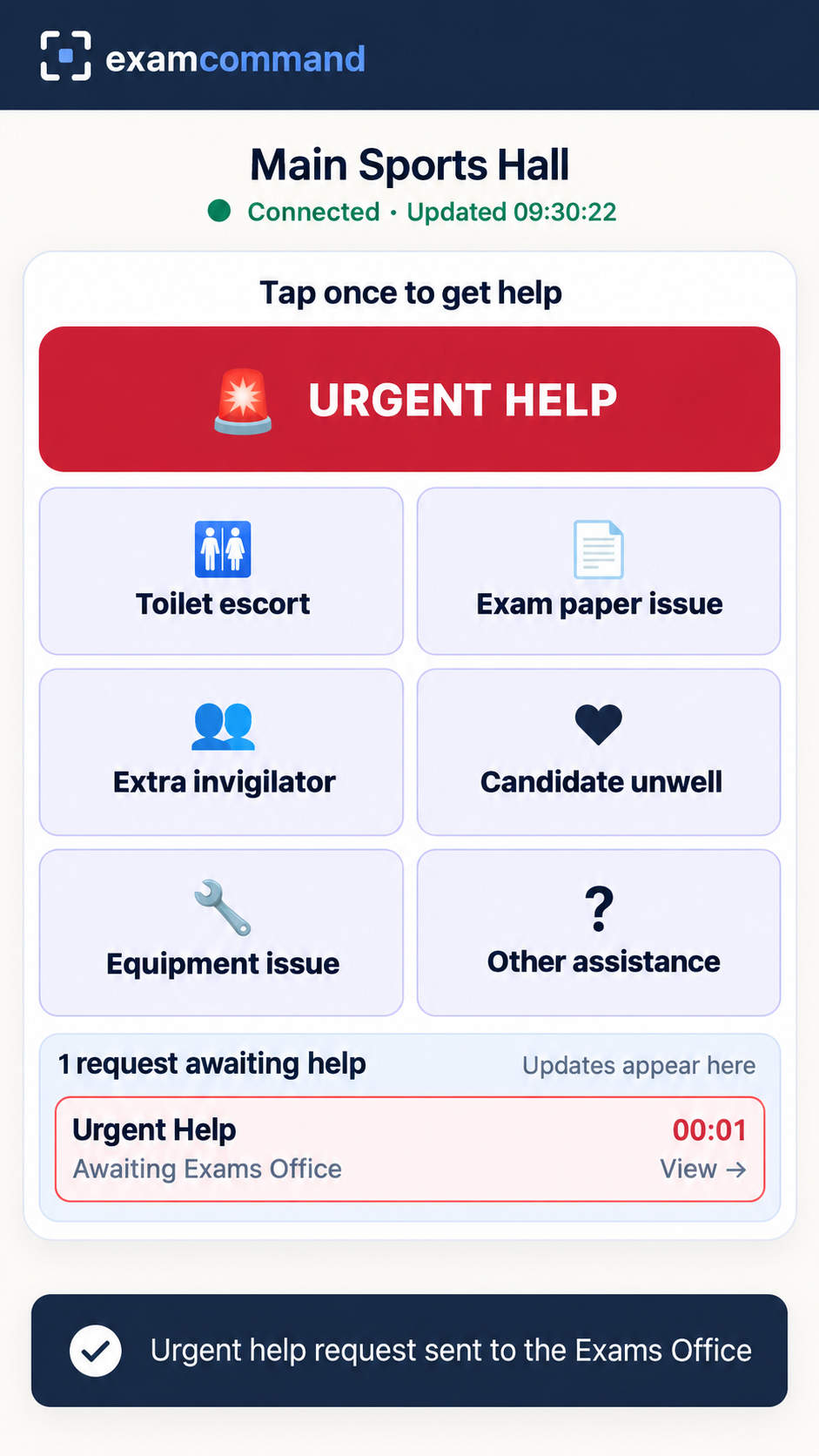
Simple, large on-screen buttons make it easy to alert the Exams Office without leaving the room.

Examination operations & coordination platform
Bring examination rooms, invigilators and Exams Officers together. Coordinate support requests, communications, examination clocks and incident reporting from one simple platform.
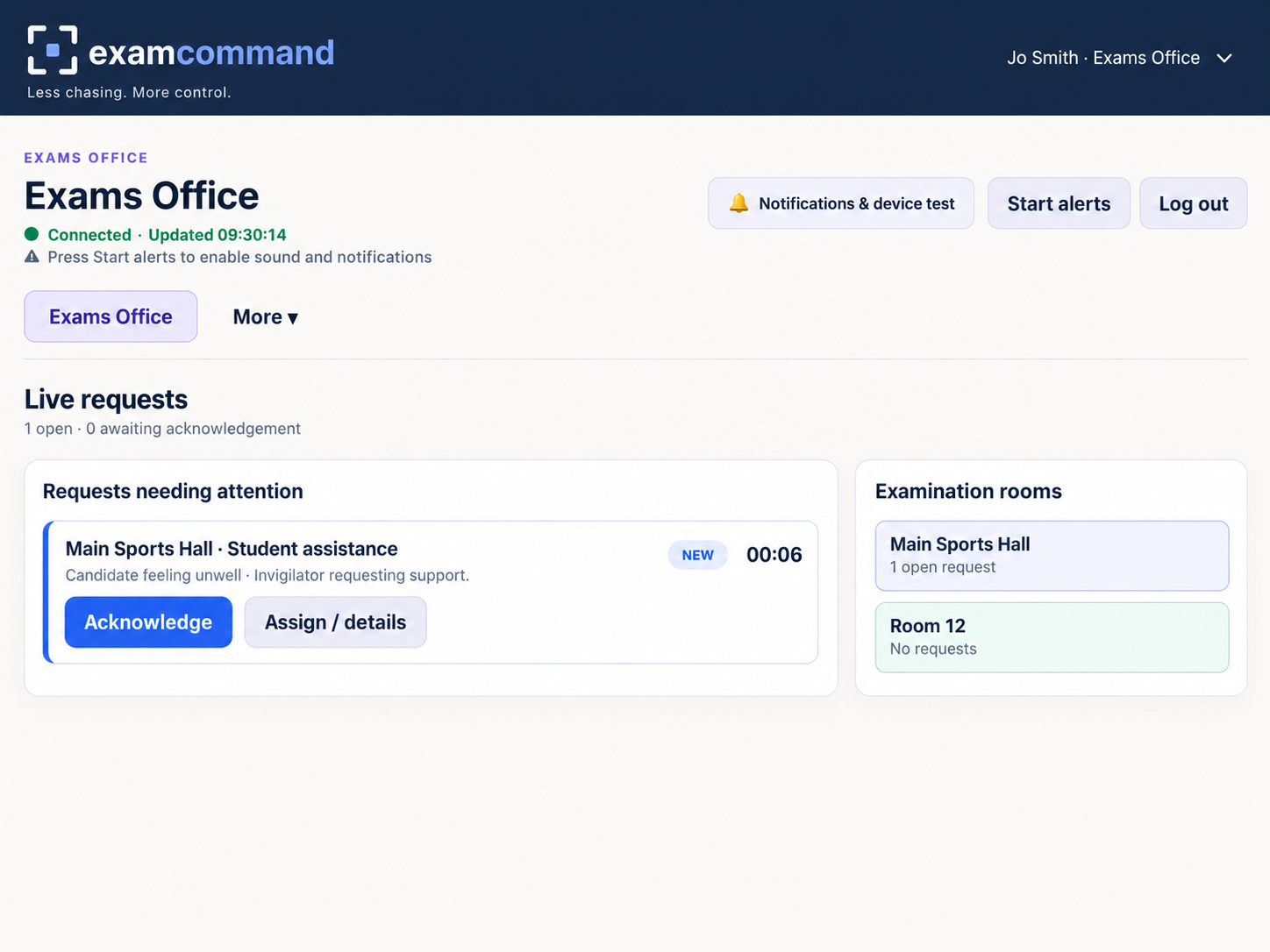
Illustrative platform preview.
Designed around real examination operations
Examination operations should be straightforward, even during the busiest weeks of the examination season.
Simple, large on-screen buttons make it easy to alert the Exams Office without leaving the room.
See the room and request type, acknowledge it and direct the right member of staff.
Track progress, mark requests complete and maintain a clearer record of what happened.
Your examination operations hub
Exam Command brings room communication, support requests, examination clocks and incident records together, while keeping everyday tasks straightforward for invigilators and Exams Officers.
Included with Exam Command
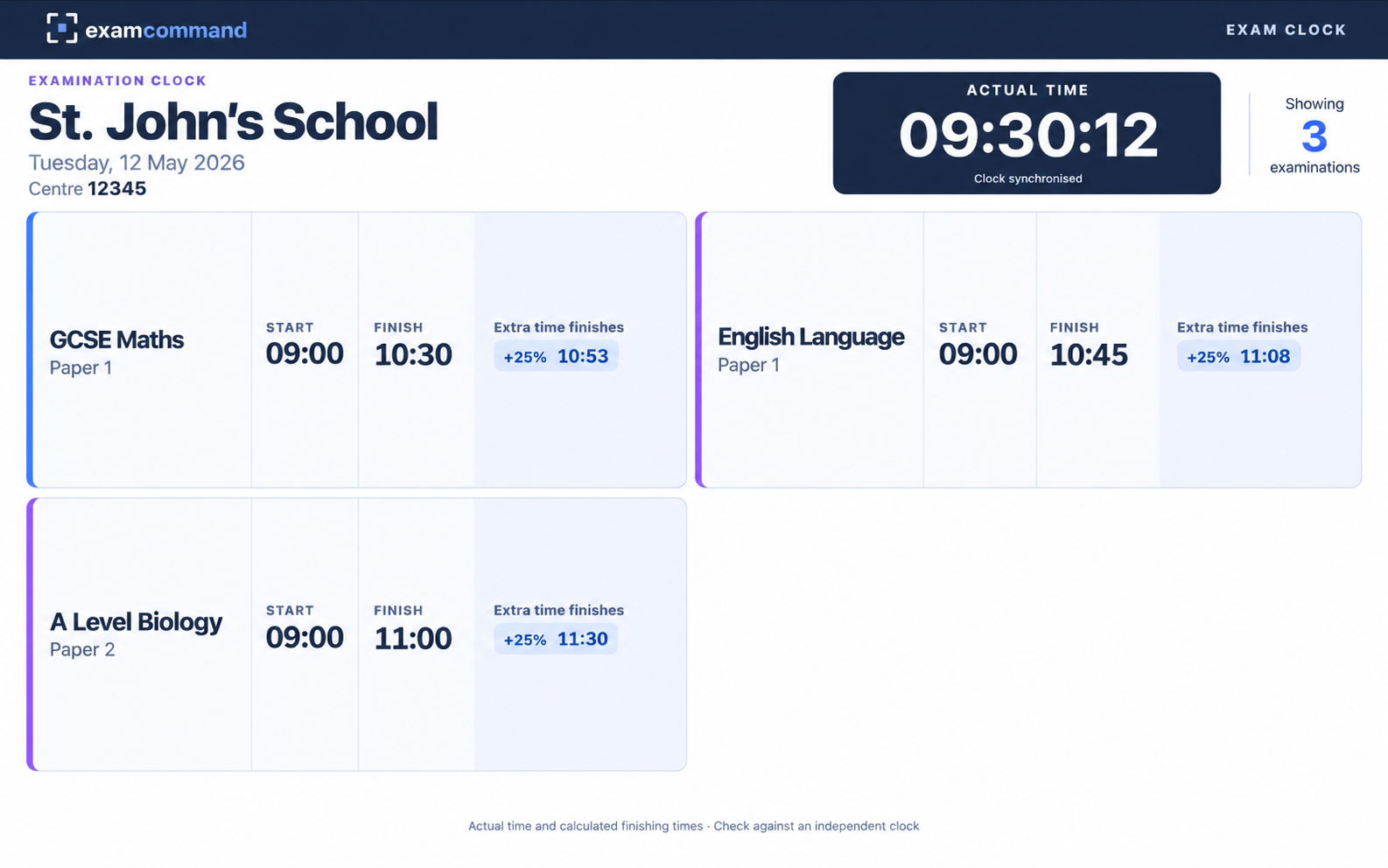
Give candidates a clear view of the time and examination schedule, without paying for a separate clock service. Display individual start and finish times, including arrangements for extra time, on a single screen.
Connected. Coordinated. In control.
Built around the tasks examination teams already carry out.
Clear options for urgent help, paper queries, equipment issues and more.
Give the Exams Office a simple view of requests across examination rooms.
Display start and finish times, including extra-time arrangements, in the exam room.
Broadcast clear instructions and see which examination rooms have acknowledged them.
Keep a record of requests, actions and outcomes for internal review.
Individual school workspaces, with trust-level administration and billing features in development.
Exam Command is in development. Features are being tested and may change before launch. It supports, rather than replaces, a school's examination procedures.
For schools and academy trusts
Whether you're coordinating a single examination centre or supporting schools across a trust, we're designing Exam Command to help teams coordinate examination operations throughout the season.
Register your school's interestWe're inviting schools and academy trusts to register their interest ahead of launch. We'll share development news and opportunities to see the platform in action.
Tell us a little about your school and we'll keep your details on our early-access list.
A few useful answers
Have a question about Exam Command? Register your interest and we'll share more as we get closer to launch.
Not for general release yet. We're developing and testing the platform, and we'll share demonstration and pilot opportunities with schools that register their interest.
Exam Command is designed to work in a web browser on suitable school devices. Your school will need to check its local IT arrangements, connectivity and examination procedures before use.
Yes. Trust-level administration and billing are part of the platform's development. We're particularly interested in hearing from trusts that would like to explore a multi-school pilot.
No. Exam Command is an additional communication and coordination tool. Schools remain responsible for their examination rules, supervision and established emergency or contingency arrangements.